Omega! -- With the newest update for Slink, you can now use Omega appliers. To get your body suitable for this, make sure you have the latest Slink body parts (body, hands, feet...) then go to the Omega store. ( http://maps.secondlife.com/secondlife/Glamour%20Isle/155/142/34 <-- Slink female; http://maps.secondlife.com/secondlife/Glamour%20Isle/155/112/44 <-- Slink male )
Once at the store, you will want to be part of the proper Omega group, so that you can get the converter cheap. This is also a really helpful group if you have problems with Omega in the future, or want to keep up to date. While in the store, you'll be able to see the HUGE number of bodies and body parts that are Omega compatible. Copy and paste this group into local: secondlife:///app/group/276e12ea-52c3-008f-d6c9-31fc8bd2ba73/about Then join!
After you join the group, click the Slink Kit. Pay the 1L cost. You will then need to go somewhere you can open that box up. Once you do so, inside there are instructions and the 'activator' if you will. Simply wear the body, wear/attach the activator, click it, and it will activate the scripts in the slink body parts that are worn. In local, you'll see the message that your body is now Omega ready. Hooray!
Don't know Omega? The easiest way of thinking about it is an additional applier to slink appliers. Just as you can use a slink applier to apply skins, tattoos, clothes and the rest, you can also use Omega. This DOES NOT include Slink nails. You can get more info at their website. ( http://lovenlustdesigns.blogspot.com/2015/09/omega-system-kit-slink.html )
Now, Slink!
Besides just vastly increasing the amount of skins that you can wear and cutting down on work for creators, Slink has for awhile been doing materials on the body as well, but there hasn't been a way to tint those tattoos.
Now, you can.
On my end this means all those tattoos I haven't bothered making appliers for because I didn't know what colors people wanted or such? Well, they are white, and now, you can tint them and use them on your Slink body. YAY! Some of the other mesh bodies don't have a good way to do this yet, but for Slink, it's in the HUD for the body itself. This is another reason to make sure you have the most up to date one.
Here's how it works...
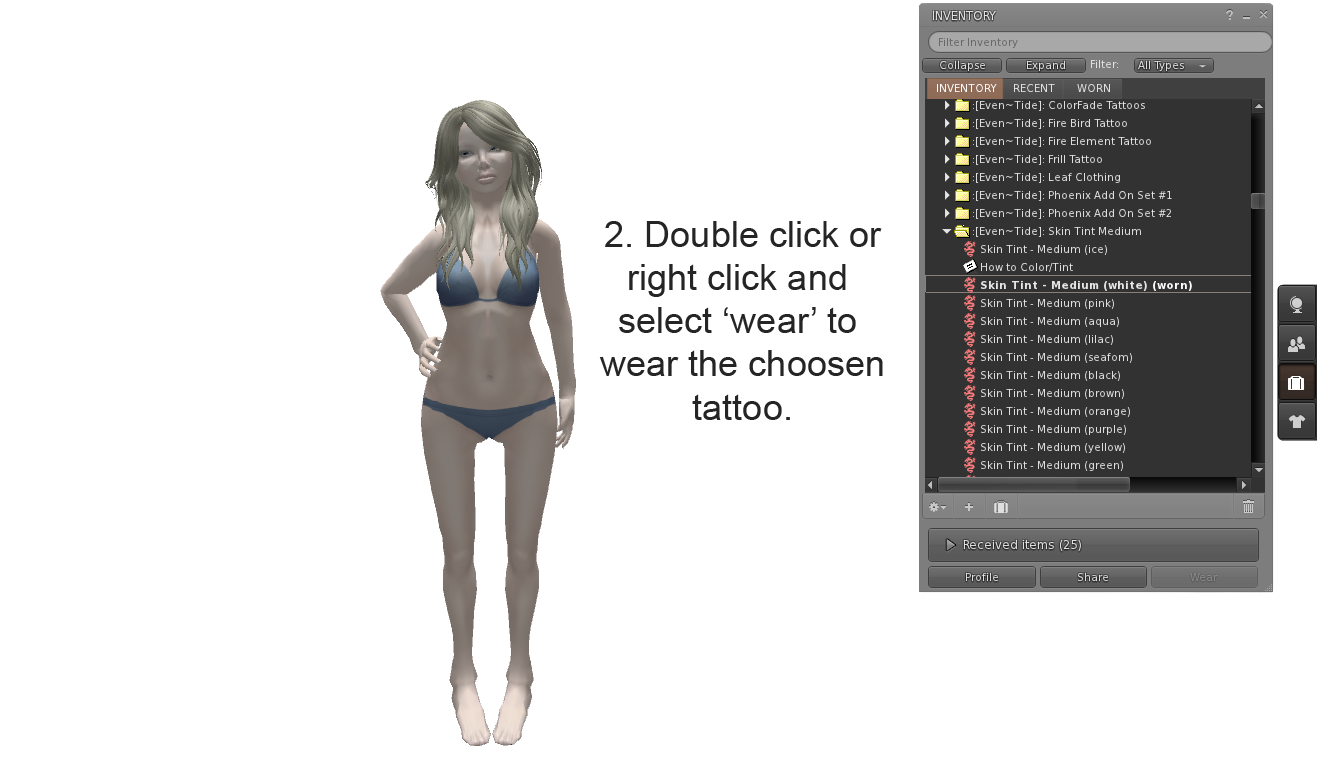
Mostly, this is straight forward. Using either Omega or Slink appliers, you apply the tattoo to the body. (Make sure your tattoo layers are on so you can see it!) You then add the HUD.

You select the layers that you want to tint.

You select the color that you want it to be, from the color picker.

You can save the colors, the easier to match to others later, by clicking 'save' under a color save box. 'Clear' to clear it back to default white.

And, as you can see, you can save multiple colors. To use a color that's saved, simply click on it!

Ta-da! Easy as that.
I will be working on updating marketplace and the inworld store as I can with Omega appliers to those tattoos that didn't have it previously. TMP still doesn't have a way to tint, so each of those colors has to be done separate. Future releases will have TMP and Omega, but unlikely to have slink, since I can do materials through Omega, and that will give you the ability to add it to which ever layer you choose.
If you have any questions or requests, PLEASE feel free to IM or NC me in world at Eve Gaelyth. :)
Skin: Lumae - Fable - Hecate
Tattoo: :[Even~Tide]: - Glow Element - Fire - Full - Awake
Hair: Tableau Vivant \\ Knot [Faux dread]